Period tracker for men
A period tracker for men that she actually agreed to.
You do not guess her dates. Her phone writes your week from her real cycle, using only what she chooses to share. She tracks in PinkyBloom, free on her phone; you read the week in PinkyBond, free on yours. And the two of you get a thread and calls that know what week it is.
Free on both phones.
- She invites, she sets the level
- Encrypted between two phones
- iPhone and Android
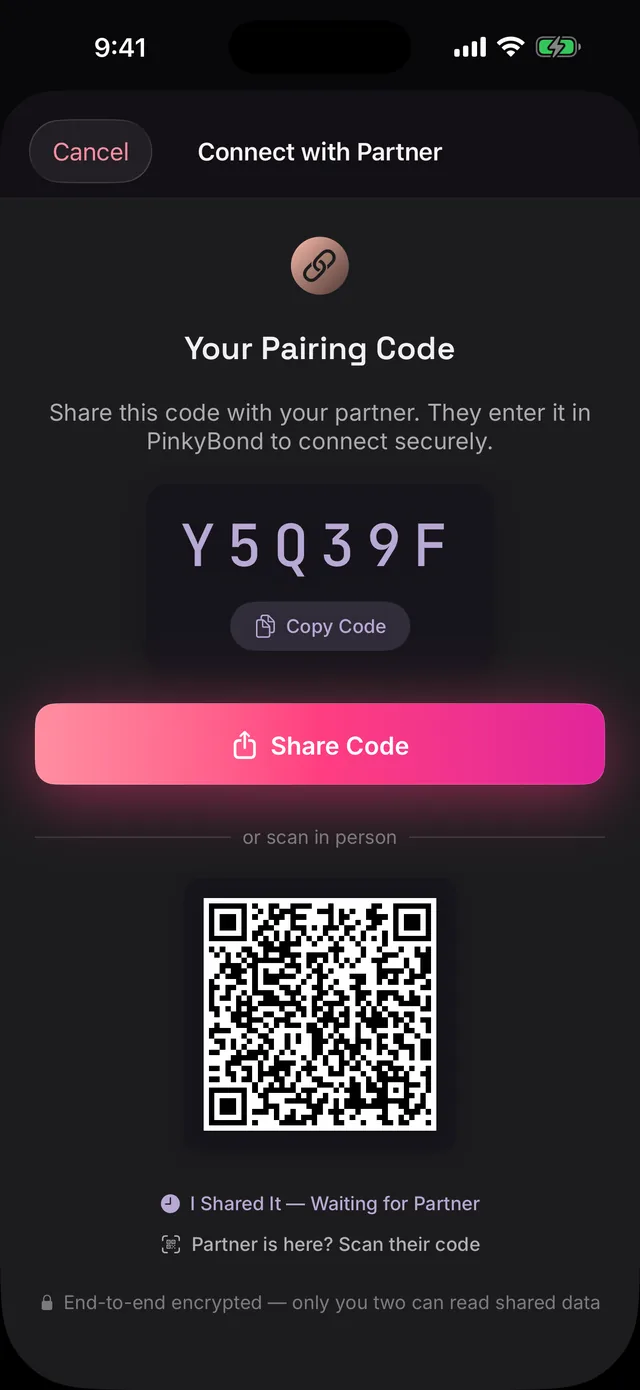
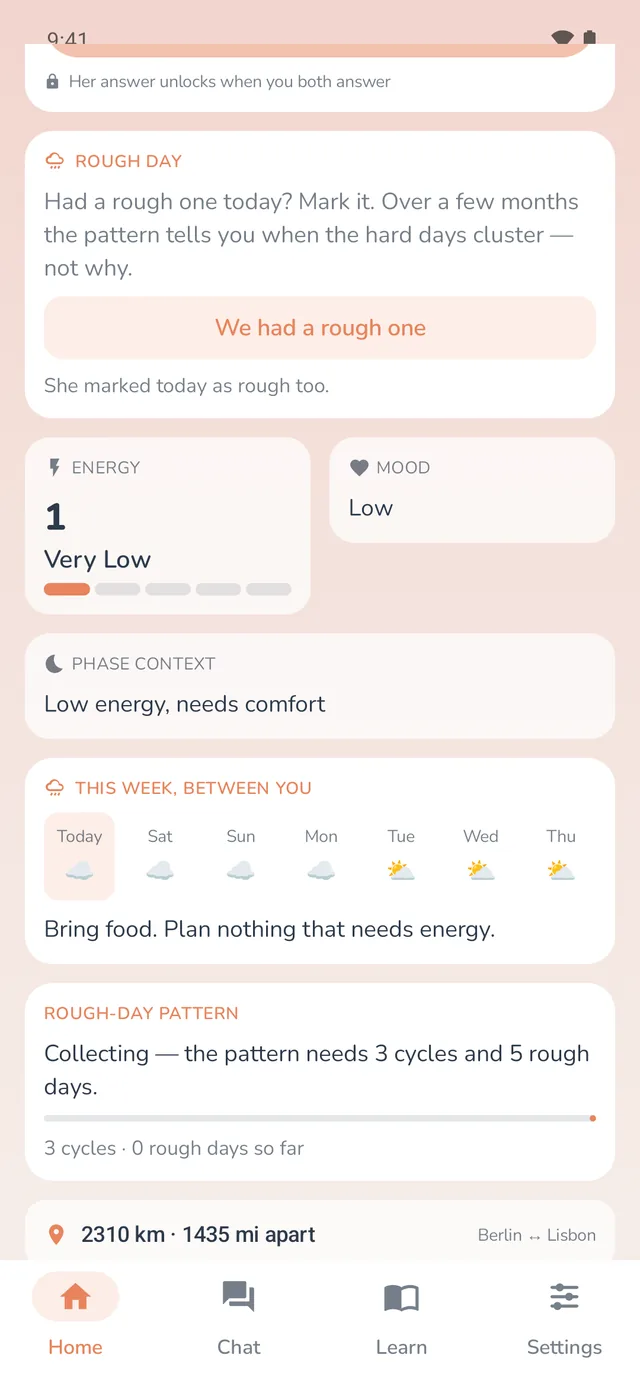
Most period trackers for guys guess. This one asks her.
Search this phrase and you find apps that take a date and hand you a daily tip. They have no way of knowing whether the date is still right, and no way for her to say so. PinkyBond starts from the other end.
Her real data, or nothing
The apps that rank for this query ask you to type in her last period and guess from there. PinkyBond has no field for that. Your week comes from her tracker, PinkyBloom, and if she has not shared, your screen is empty.
Consent is the architecture
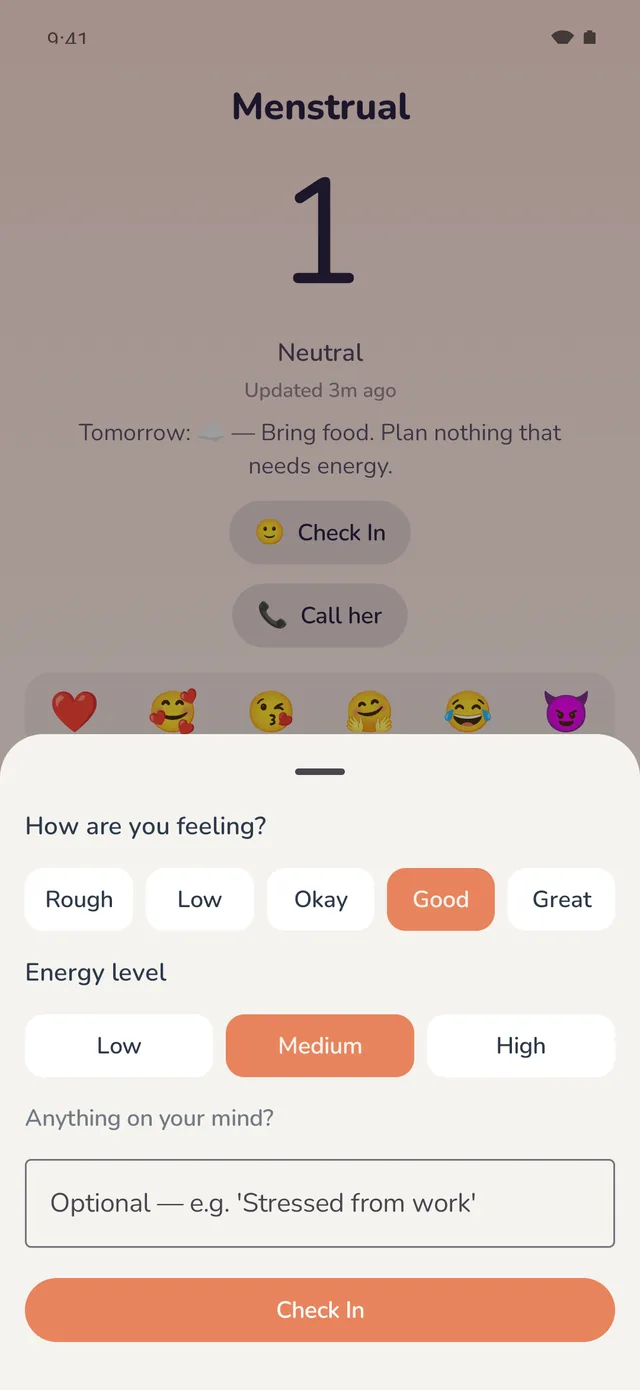
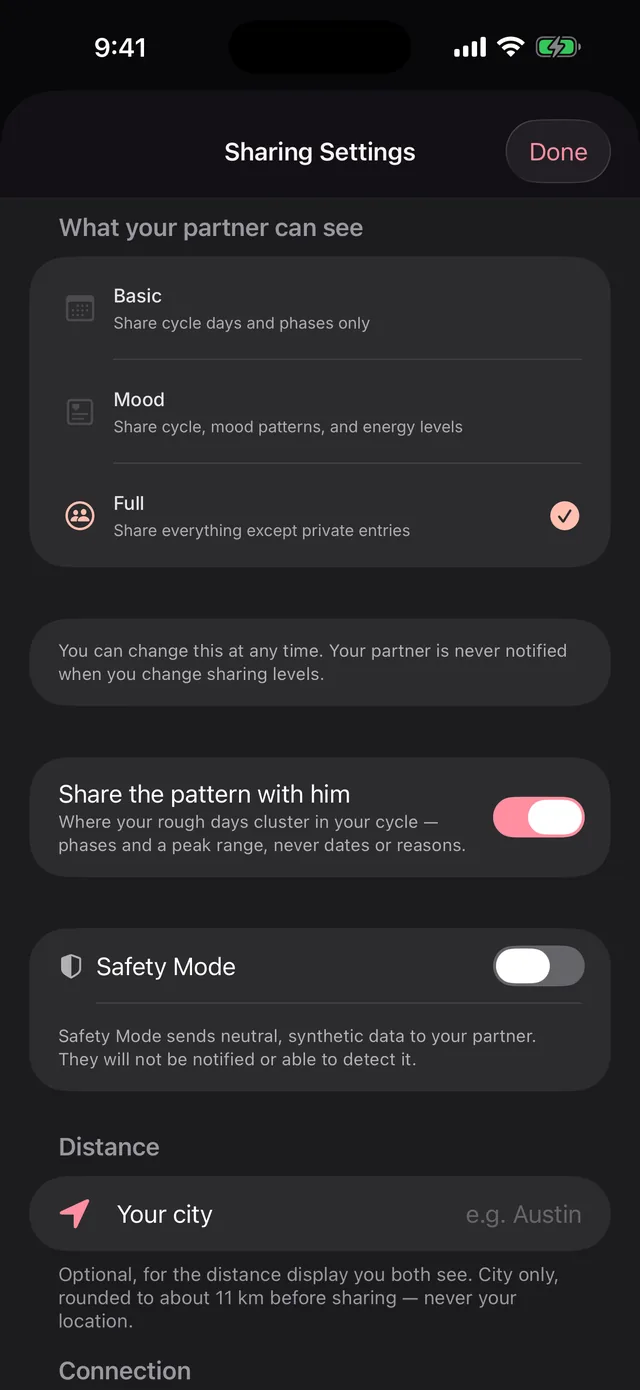
She invites you from her phone. She sets the level. She can pause with one tap and you are never notified. Safety Mode replaces what she shares with neutral placeholder data, and you are not told it is on.
Two-way, not a card
You check in too: your mood and energy in three taps, and a daily question you both answer. She sees yours. A tip for him is not a relationship; a thread is.
A private channel that knows the week
Messages and encrypted voice and video calls live in the same app as her forecast. No phone number, no account, no readable copy on any server. The thread knows what week it is; your group chat does not.
Flo for Partners and Clue Connect show you a read-only card. How PinkyBond compares to Flo for Partners.
Three levels. Her hand on the dial.
She picks Basic, Mood or Full in PinkyBloom and can change it whenever she likes. You are not notified when she does. What reaches your phone is a derived snapshot, encrypted between the two phones, never her logs.
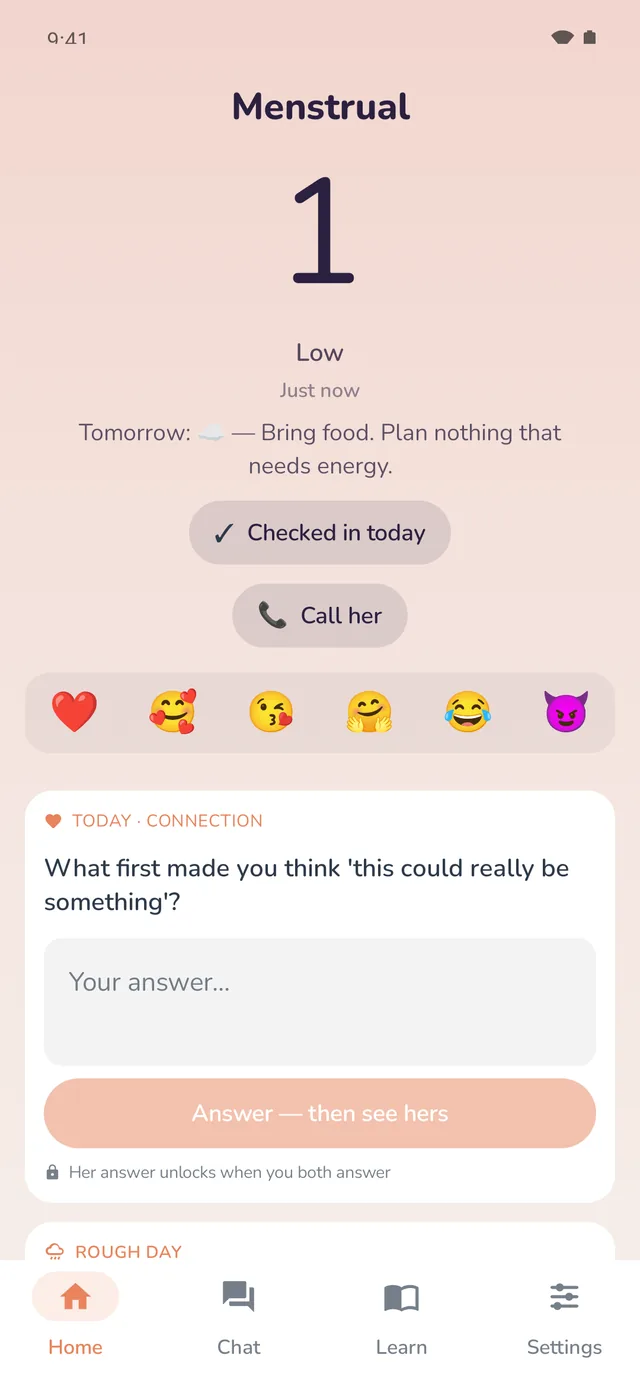
Where she is
- Her phase, or her recovery stage
- Her pregnancy week and trimester, once she has told you in the app
- A mood and energy predicted from her phase, labelled as a prediction
Basic, plus how she feels
- Her mood word and her energy, 0 to 5, as she logged them
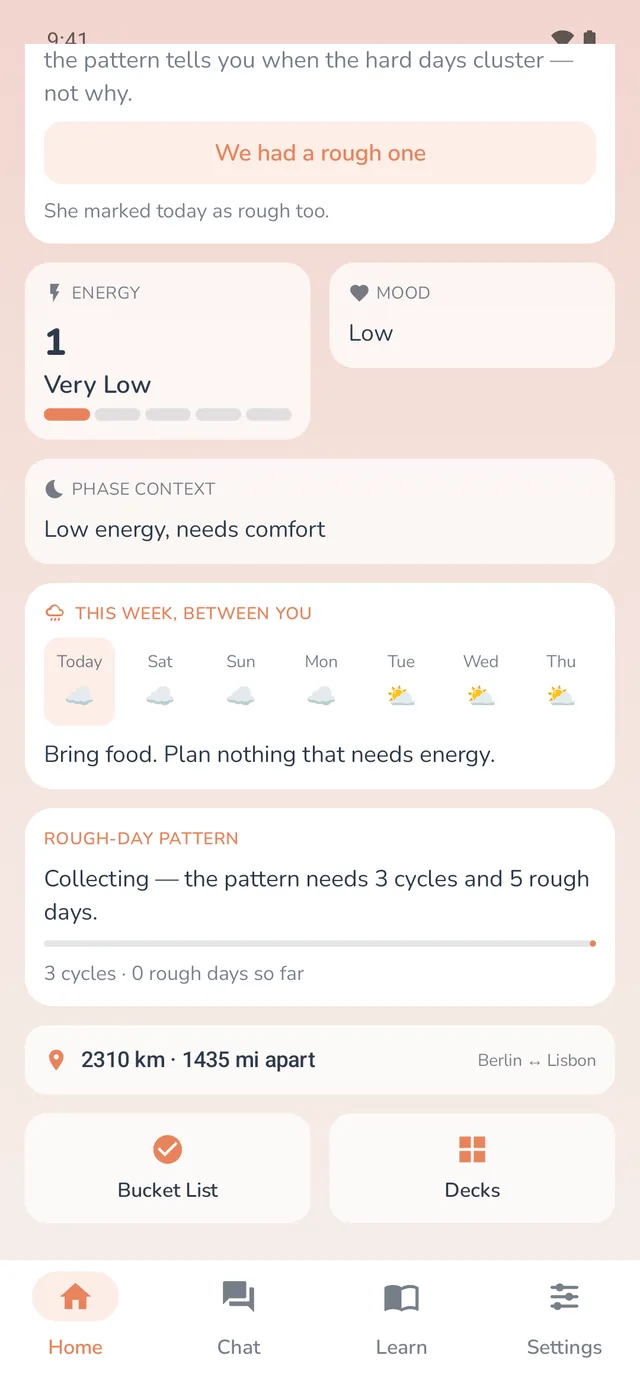
- Tomorrow in one line, and the 7-day forecast
- The rough-day pattern, if she shares it: phases and a peak range, never dates
Mood, plus the specifics
- Her custom status, in her words
- Her top symptoms in perimenopause or menopause
- Her due date, once she has told you about the pregnancy
At any level.
She can pause sharing or turn on Safety Mode without you knowing. That is not a gap in the product; it is the product.
- Her notes or private entries
- The dates of her logs
- Raw symptoms or medical data
- Her history, or anything before the snapshot on your screen
- Whether she paused sharing
- Anything she has not disclosed, including a pregnancy
It follows her past the last period.
A period tracker for men usually stops being useful the month her cycle stops being the story. PinkyBloom tracks five chapters, and PinkyBond follows whichever one she is in. No other partner app does; the perimenopause and menopause apps have no partner side at all.
Pregnancy
Once she tells you in the app, you see her week and trimester on your side. Until then, nothing changes on your screen; a late period is not a signal you get.
Postpartum
Her recovery stage and weeks since birth replace the phase. The forecast keeps running from what she logs.
Perimenopause
Periods get irregular; PinkyBloom predicts a window instead of a day and scores her symptom burden. At Full, you see her top symptoms.
Menopause
No more cycle to track, still a week to read. Sleep, heat, mood: the same thread, the same forecast.
Four steps. Her call at every one.
- Step 1
She installs PinkyBloom
Her free period tracker, iPhone or Android. If she already has it, skip ahead.
- Step 2
She invites you
From PinkyBloom: a QR code if you are in the same room, a six-character code or a link if you are not.
- Step 3
You enter it in PinkyBond
Keys are exchanged between the two phones. A six-digit check lets you both confirm no one sat in the middle.
- Step 4
She picks the level
Basic, Mood or Full. Her first update arrives on your phone right after. Free on both phones.
Not sure how to bring it up?
Send her the page written for her. It shows exactly what you would see and what you never would.
Straight answers.
She uses Flo? There is a guide for her on pinkybloom.app: leaving Flo for PinkyBloom. Calls between the two of you are covered on /calls.
Know the week before it happens.
Free on both phones. She invites; you enter the code.